Delegate repetitive work
Delegate repetitive work
to
to

Document
Document
Agents
Agents
Share documents to be automated by our agent…
Concierge
Review_Legal.pdf
12
Review_Legal.pdf
Review_Legal.pdf
Share documents to be automated by our agent…
Concierge
Review_Legal.pdf
12
Review_Legal.pdf
Review_Legal.pdf
Trusted by Industry Leaders
Trusted by Industry Leaders
We cut diligence time by 35% in the first quarter. Our analysts are reviewing 2x more deals.
Centerline
Building this in-house would've cost us $2M and 18 months. V7 had us live in six weeks.
Head of AI, Tech-Forward Insurance Brokerage
Our workflows were live in days, not months. The support is unlike anything we've seen from an enterprise vendor.
Alaris Acqusitions
Every serious fund will be running AI-powered diligence within two years. V7 is the only platform we'd trust with that.
Investment Firm Partner
We're processing hundreds of complex deal documents a week. What used to take a team now takes an afternoon.
Pinsent Masons
We replaced three separate tools — and cut our workflow costs by 40%. One platform does it all.
Real Estate Innovator
21x faster processing. 54% fewer errors. We now screen 5x more opportunities with the same team.
Star Mountain Capital ($5B alt asset firm)
We evaluated eight vendors. V7 wasn't close — it was the only one built for how private markets actually work.
AI-First Insurance Brokerage
Widespread problems
AI doesn’t understand your work
You start from scratch every time

Single prompts guess instead of follow processes
Agents wander off-task and miss critical steps
Outputs can’t be traced or audited
Orchestration across tools is slow and manual







Widespread problems
AI doesn’t understand your work
You start from scratch every time
Single prompts guess instead of follow processes
Agents wander off-task and miss critical steps
Outputs can’t be traced or audited
Orchestration across tools is slow and manual
Standard tools miss details
Knowledge Hubs deliver answers you can trust
Critical info gets lost
Legacy CRMs stay shallow
Simple tools lack rigor
Risk grows with scale

Unite files and records
Retrieval with citations
Secure, governed access
AI agents add context

¹ Late-payment penalty: An additional 2% interest per month will accrue on overdue balances beyond 15 days.
The Service Provider shall issue monthly invoices, payable within 30 days of receipt.
In case of disputes, both parties agree to first attempt mediation before resorting to litigation.
Introducing Go Agent Tables
Purpose-built for specialized tasks
Introducing Go Agent Tables
Purpose-built for specialized tasks
Results you can trust.
Trustworthy AI document processing toolkit.
Introducing Go Agent Tables
Purpose-built for specialized tasks
Input files, pick agent, or let Concierge pick one for you
An AI generated table starts building
Configure each step in further properties
Iterate and improve your agent as you like
Zoom in on doc level and iterate any detail
Input
Table
Config
Build
Adjust
Stop juggling tools.
Use one intelligent hub as your AI command center.
Results you can trust.
Trustworthy AI document processing toolkit.
Universal File & Agent Compatibility
Any file. Any format. Any workflow.
Upload any file type, from PDFs and Excel sheets to videos or data exports. Concierge automatically routes it to the right agent or workflow. No manual setup, no limits. Your inputs instantly become actionable.
Drop files
Universal File & Agent Compatibility
Any file. Any format. Any workflow.
Upload any file type, from PDFs and Excel sheets to videos or data exports. Concierge automatically routes it to the right agent or workflow. No manual setup, no limits. Your inputs instantly become actionable.
Configure
Configure Every Step
Fully in Your Control
Define how each stage behaves, from data intake to reasoning and output. Chain prompts, choose your models, connect APIs, and set logic for every step. Every interaction, rule, and response is configurable to match your exact workflow.
Configure
Configure Every Step
Fully in Your Control
Define how each stage behaves, from data intake to reasoning and output. Chain prompts, choose your models, connect APIs, and set logic for every step. Every interaction, rule, and response is configurable to match your exact workflow.
Are there any clauses in our vendor contracts that create exposure or conflict with our standard terms?

Launch Agents from Anywhere
Turn Any File, Table, or Page into an Action Surface
Trigger agents directly from documents, tables, or dashboards, without any setup friction. Whether you're reviewing a contract, analyzing data, or drafting content, launch the right agent in context and let it act instantly.
Are there any clauses in our vendor contracts that create exposure or conflict with our standard terms?
Launch Agents from Anywhere
Turn Any File, Table, or Page into an Action Surface
Trigger agents directly from documents, tables, or dashboards, without any setup friction. Whether you're reviewing a contract, analyzing data, or drafting content, launch the right agent in context and let it act instantly.
Drop files
Launch Agents from Anywhere
Turn Any File, Table, or Page into an Action Surface
Trigger agents directly from documents, tables, or dashboards, without any setup friction. Whether you're reviewing a contract, analyzing data, or drafting content, launch the right agent in context and let it act instantly.
Are there any clauses in our vendor contracts that create exposure or conflict with our standard terms?
Unify your data flow
Tables are the intelligent layer between your tools and systems
Integrate tools across your stack to ingest, process, and deliver data. Automate everything through a dynamic, AI spreadsheet that scales with your enterprise workflows.











Unify your data flow
Tables are the intelligent layer between your tools and systems
Integrate tools across your stack to ingest, process, and deliver data. Automate everything through a dynamic, AI spreadsheet that scales with your enterprise workflows.
Decision-ready outputs from your data room
Turn diligence documents into IC-ready slides.
V7 analyses CIMs, models, contracts, DDQs, and data rooms — then generates source-linked memos, tables, and PPT files your team can edit, trust, and send.
Speak to an expert in your industry in the next 24 hours.
See how V7 turns your firm’s documents into investor-ready outputs — with every number traced back to source.
Decision-ready outputs from your data room
Turn diligence documents into IC-ready slides.
V7 analyses CIMs, models, contracts, DDQs, and data rooms — then generates source-linked memos, tables, and PPT files your team can edit, trust, and send.
Speak to an expert in your industry in the next 24 hours.
See how V7 turns your firm’s documents into investor-ready outputs — with every number traced back to source.
Decision-ready outputs from your data room
Turn diligence documents into IC-ready slides.
V7 analyses CIMs, models, contracts, DDQs, and data rooms — then generates source-linked memos, tables, and PPT files your team can edit, trust, and send.
Speak to an expert in your industry in the next 24 hours.
See how V7 turns your firm’s documents into investor-ready outputs — with every number traced back to source.
Decision-ready outputs from your data room
Turn diligence documents into IC-ready slides.
V7 analyses CIMs, models, contracts, DDQs, and data rooms — then generates source-linked memos, tables, and PPT files your team can edit, trust, and send.
Speak to an expert in your industry in the next 24 hours.
See how V7 turns your firm’s documents into investor-ready outputs — with every number traced back to source.
From input to insight.
Transform unstructured files into actionable insights.
Results you can trust.
Trustworthy AI document processing toolkit.
Models
Choose any brain
Run each column with the optimal intelligence: from GPT-5 and Claude to Gemini, custom Python code, HTTP requests, web search, manual input, or multi-language OCR.
GPT-5
4.5 Sonnet
2.5 Flash
GPT-5 Mini
4.1 Opus
2.5 Flash Lite
GPT 5 Nano
4 Sonnet
2.0 Flash Lite
GPT 4.1 Mini
3.7 Sonnet
2.5 Pro
o3
3.5 Sonnet
o3 Mini
o4 Mini
GPT 4.1
GPT 4.1 Nano
3.5 Haiku
Models
Choose any brain
Run each column with the optimal intelligence: from GPT-5 and Claude to Gemini, custom Python code, HTTP requests, web search, manual input, or multi-language OCR.
GPT-5
4.5 Sonnet
2.5 Flash
GPT-5 Mini
4.1 Opus
2.5 Flash Lite
GPT 5 Nano
4 Sonnet
2.0 Flash Lite
GPT 4.1 Mini
3.7 Sonnet
2.5 Pro
o3
3.5 Sonnet
o3 Mini
o4 Mini
GPT 4.1
GPT 4.1 Nano
3.5 Haiku
Doc Templates
Supports any document type
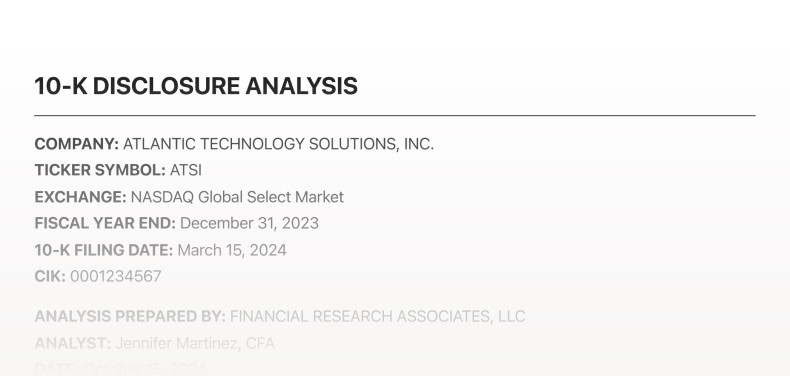
Use flexible document agents that adapt to any file. Process all file types, from contracts and financial reports to custom templates. Get accurate and consistent extraction across all formats.
Doc Templates
Supports any document type
Use flexible document agents that adapt to any file. Process all file types, from contracts and financial reports to custom templates. Get accurate and consistent extraction across all formats.
Property Types
Generate any data output you want
Define how each property behaves. Set up output formats that you need, from text and numbers to files, JSON, or structured references.
Search property type
Auto
Text
Number
Single-Select
Multi-Select
Collection
URL
Reference
JSON
Hub
Document Generation
Property Types
Generate any data output you want
Define how each property behaves. Set up output formats that you need, from text and numbers to files, JSON, or structured references.
Search property type
Auto
Text
Number
Single-Select
Multi-Select
Collection
URL
Reference
JSON
Hub
Document Generation
Agent Library
Deploy in one click
Access a library of pre-built agents created for common workflows — from NDA review to investment screening. Launch them instantly without setup.

Agent Library
Deploy in one click
Access a library of pre-built agents created for common workflows — from NDA review to investment screening. Launch them instantly without setup.
Recompute
Automatic Error Handling
Detect inconsistencies, retry failed steps, and reprocess instructions automatically — ensuring reliable, grounded outputs every time.
Recompute
Recompute
Automatic Error Handling
Detect inconsistencies, retry failed steps, and reprocess instructions automatically — ensuring reliable, grounded outputs every time.
Recompute
Suggestions
Workspace recipes
Reuses proven steps from your org (e.g., Extract text, List items, Generate JSON) so you’re never starting from scratch.
Suggestions
See more
Send Message in channel
Get issues
Create account
Update status
Get projects
From V7
See more
Extract text
Extract a list of items
Generate JSON
Calculate number
Classify
Tag & Categorize
Generate slides
Transcribe audio
Search the web
All Integrations
Suggestions
Workspace recipes
Reuses proven steps from your org (e.g., Extract text, List items, Generate JSON) so you’re never starting from scratch.
Suggestions
See more
Send Message in channel
Get issues
Create account
Update status
Get projects
From V7
See more
Extract text
Extract a list of items
Generate JSON
Calculate number
Classify
Tag & Categorize
Generate slides
Transcribe audio
Search the web
All Integrations
In-row Collections
Tables within tables
Nest structured collections inside each record. Add, reorder, or rename sub-rows to manage complex, multi-layered data with ease.
5
3 collection items
6
3 collection items
7
3 collection items
8
3 collection items
In-row Collections
Tables within tables
Nest structured collections inside each record. Add, reorder, or rename sub-rows to manage complex, multi-layered data with ease.
5
3 collection items
6
3 collection items
7
3 collection items
8
3 collection items
Workflow Builder
Send emails and messages
Compose, personalize, and deliver messages across channels. Define tone, structure, and attachments, then send with a single action.
Send Email
Condition
Always
Timing
Instant
From
ekrem.elmas@v7labs.com
To
Subject
Generate
Body
Message
CC
None
BCC
sales@v7labs.com
Test
Save
Send email
Send message
Text field
Summarize
Find messages
Text
File
Text
Collection
This is a very simple prompt, however it can span a few lines and occupy the entire horizontal space.
Line breaks exist and the paragraph division is persisted so when this property config menu opens again, it will should in the exact same way.
Citations are indicated through a badge like
Model
GPT 4o
Reasoning
Off
Low
Mid
High
AI Citations
Skills
Select
Condition
Always
Recalculate
Workflow Builder
Send emails and messages
Compose, personalize, and deliver messages across channels. Define tone, structure, and attachments, then send with a single action.
Send Email
Condition
Always
Timing
Instant
From
ekrem.elmas@v7labs.com
To
Subject
Generate
Body
Message
CC
None
BCC
sales@v7labs.com
Test
Save
Send email
Send message
Text field
Summarize
Find messages
Text
File
Text
Collection
This is a very simple prompt, however it can span a few lines and occupy the entire horizontal space.
Line breaks exist and the paragraph division is persisted so when this property config menu opens again, it will should in the exact same way.
Citations are indicated through a badge like
Model
GPT 4o
Reasoning
Off
Low
Mid
High
AI Citations
Skills
Select
Condition
Always
Recalculate
Citations
Verify AI answers instantly
Ensure your AI responses are accurate and transparent. Each answer is linked to its exact source citation within your files. Instantly trace statements back to PDFs or documents, reducing hallucinations and review time.
¹ Late-payment penalty: An additional 2% interest per month will accrue on overdue balances beyond 15 days.
The Service Provider shall issue monthly invoices, payable within 30 days of receipt.
In case of disputes, both parties agree to first attempt mediation before resorting to litigation.
Citations
Verify AI answers instantly
Ensure your AI responses are accurate and transparent. Each answer is linked to its exact source citation within your files. Instantly trace statements back to PDFs or documents, reducing hallucinations and review time.
¹ Late-payment penalty: An additional 2% interest per month will accrue on overdue balances beyond 15 days.
The Service Provider shall issue monthly invoices, payable within 30 days of receipt.
In case of disputes, both parties agree to first attempt mediation before resorting to litigation.
Compose
Pick any source input
Connect fields, documents, or external apps to your prompt — then generate, update, or export results seamlessly in one click.
Add Source
Set a prompt (Press @ to mention a source or tool)
Compose
Pick any source input
Connect fields, documents, or external apps to your prompt — then generate, update, or export results seamlessly in one click.
Add Source
Set a prompt (Press @ to mention a source or tool)
Workflow
Easy human review
Quickly inspect, approve, or correct outputs — with clear status filters and review states that make collaboration effortless.
Pending
Approved
Rejected
Workflow
Easy human review
Quickly inspect, approve, or correct outputs — with clear status filters and review states that make collaboration effortless.
Pending
Approved
Rejected
Status Tooltips
Explainable answers
See how results were formed. Review sources, reasoning steps, and edits directly in context for full transparency and trust.
Correction!
Status Tooltips
Explainable answers
See how results were formed. Review sources, reasoning steps, and edits directly in context for full transparency and trust.
Correction!
Source Access
Review source & output
Instantly preview original files side-by-side with extracted fields, citations, and structured data.
5
fileedde1234.pdf
6
file1234.pdf
7
file1234.pdf
8
file1234.pdf
Source Access
Review source & output
Instantly preview original files side-by-side with extracted fields, citations, and structured data.
5
fileedde1234.pdf
6
file1234.pdf
7
file1234.pdf
8
file1234.pdf
Distribution
Export, integrate & deliver
Send your structured data wherever it needs to go. Export as CSV, Excel, or JSON, or push it directly into downstream systems via API, Zapier, or native integrations.
Export
Share
Distribution
Export, integrate & deliver
Send your structured data wherever it needs to go. Export as CSV, Excel, or JSON, or push it directly into downstream systems via API, Zapier, or native integrations.
Export
Share
Filters
Custom view filters
Instantly surface only the rows and fields that match your criteria, like “Approved,” “Pending,” or any status you define.
Filter
Filters
Custom view filters
Instantly surface only the rows and fields that match your criteria, like “Approved,” “Pending,” or any status you define.
Filter
Collaboration
Invite & Control Access
Share tables with teammates or partners using granular roles — viewer, editor, reviewer, or contributor — with instant invite links.
Add people, emails…
Editor
Invite
Collaboration
Invite & Control Access
Share tables with teammates or partners using granular roles — viewer, editor, reviewer, or contributor — with instant invite links.
Add people, emails…
Editor
Invite
Time saving for invoice processing
95%
"We are looking for V7 Go and AI in general to be the beating heart of our company and our growth. It will make us more productive as a company, liaising with customers, automating tasks, even finding new work."

James Tomlinson
Managing Director
Productivity increase
35%
"We used V7 Go to automate our diligence process with data extraction and automated analysis. This led to a 35% productivity increase in just the first month of use."

Trey Heath
CEO of Centerline
Custom solution delivery
In hours, not weeks
"Partnering with V7 means bringing our toughest data challenges to a team that turns them into solutions in hours. Their Solutions Engineers have redefined what’s possible for our business."

Allen Darby
CEO of Alaris Acquisitions
Time saving for invoice processing
95%
"We are looking for V7 Go and AI in general to be the beating heart of our company and our growth. It will make us more productive as a company, liaising with customers, automating tasks, even finding new work."
James Tomlinson
Managing Director
Productivity increase
35%
"We used V7 Go to automate our diligence process with data extraction and automated analysis. This led to a 35% productivity increase in just the first month of use."
Trey Heath
CEO of Centerline
Custom solution delivery
In hours, not weeks
"Partnering with V7 means bringing our toughest data challenges to a team that turns them into solutions in hours. Their Solutions Engineers have redefined what’s possible for our business."
Allen Darby
CEO of Alaris Acquisitions
Time saving for invoice processing
95%
"We are looking for V7 Go and AI in general to be the beating heart of our company and our growth. It will make us more productive as a company, liaising with customers, automating tasks, even finding new work."
James Tomlinson
Managing Director
Productivity increase
35%
"We used V7 Go to automate our diligence process with data extraction and automated analysis. This led to a 35% productivity increase in just the first month of use."
Trey Heath
CEO of Centerline
Custom solution delivery
In hours, not weeks
"Partnering with V7 means bringing our toughest data challenges to a team that turns them into solutions in hours. Their Solutions Engineers have redefined what’s possible for our business."
Allen Darby
CEO of Alaris Acquisitions
Time saving for invoice processing
95%
"We are looking for V7 Go and AI in general to be the beating heart of our company and our growth. It will make us more productive as a company, liaising with customers, automating tasks, even finding new work."
James Tomlinson
Managing Director
Productivity increase
35%
"We used V7 Go to automate our diligence process with data extraction and automated analysis. This led to a 35% productivity increase in just the first month of use."
Trey Heath
CEO of Centerline
Custom solution delivery
In hours, not weeks
"Partnering with V7 means bringing our toughest data challenges to a team that turns them into solutions in hours. Their Solutions Engineers have redefined what’s possible for our business."
Allen Darby
CEO of Alaris Acquisitions
Enterprise-grade security
Your data stays yours—always. Work with one of the few AI companies that never trains on your data.
No training on your data
Encrypted end-to-end
Audited and penetration-tested
Fine-grained access controls
Inhouse security team
Audit logs across every workflow
Time saving for invoice processing
95%
"We are looking for V7 Go and AI in general to be the beating heart of our company and our growth. It will make us more productive as a company, liaising with customers, automating tasks, even finding new work."
James Tomlinson
Managing Director
Productivity increase
35%
"We used V7 Go to automate our diligence process with data extraction and automated analysis. This led to a 35% productivity increase in just the first month of use."
Trey Heath
CEO of Centerline
Custom solution delivery
In hours, not weeks
"Partnering with V7 means bringing our toughest data challenges to a team that turns them into solutions in hours. Their Solutions Engineers have redefined what’s possible for our business."
Allen Darby
CEO of Alaris Acquisitions
Time saving for invoice processing
95%
"We are looking for V7 Go and AI in general to be the beating heart of our company and our growth. It will make us more productive as a company, liaising with customers, automating tasks, even finding new work."
James Tomlinson
Managing Director
Productivity increase
35%
"We used V7 Go to automate our diligence process with data extraction and automated analysis. This led to a 35% productivity increase in just the first month of use."
Trey Heath
CEO of Centerline
Custom solution delivery
In hours, not weeks
"Partnering with V7 means bringing our toughest data challenges to a team that turns them into solutions in hours. Their Solutions Engineers have redefined what’s possible for our business."
Allen Darby
CEO of Alaris Acquisitions
Time saving for invoice processing
95%
"We are looking for V7 Go and AI in general to be the beating heart of our company and our growth. It will make us more productive as a company, liaising with customers, automating tasks, even finding new work."
James Tomlinson
Managing Director
Productivity increase
35%
"We used V7 Go to automate our diligence process with data extraction and automated analysis. This led to a 35% productivity increase in just the first month of use."
Trey Heath
CEO of Centerline
Custom solution delivery
In hours, not weeks
"Partnering with V7 means bringing our toughest data challenges to a team that turns them into solutions in hours. Their Solutions Engineers have redefined what’s possible for our business."
Allen Darby
CEO of Alaris Acquisitions
Time saving for invoice processing
95%
"We are looking for V7 Go and AI in general to be the beating heart of our company and our growth. It will make us more productive as a company, liaising with customers, automating tasks, even finding new work."
James Tomlinson
Managing Director
Productivity increase
35%
"We used V7 Go to automate our diligence process with data extraction and automated analysis. This led to a 35% productivity increase in just the first month of use."
Trey Heath
CEO of Centerline
Custom solution delivery
In hours, not weeks
"Partnering with V7 means bringing our toughest data challenges to a team that turns them into solutions in hours. Their Solutions Engineers have redefined what’s possible for our business."
Allen Darby
CEO of Alaris Acquisitions
Enterprise-grade security
Your data stays yours—always. Work with one of the few AI companies that never trains on your data.
No training on your data
Encrypted end-to-end
Audited and penetration-tested
Fine-grained access controls
Inhouse security team
Audit logs across every workflow
Time saving for invoice processing
95%
"We are looking for V7 Go and AI in general to be the beating heart of our company and our growth. It will make us more productive as a company, liaising with customers, automating tasks, even finding new work."
James Tomlinson
Managing Director
Productivity increase
35%
"We used V7 Go to automate our diligence process with data extraction and automated analysis. This led to a 35% productivity increase in just the first month of use."
Trey Heath
CEO of Centerline
Custom solution delivery
In hours, not weeks
"Partnering with V7 means bringing our toughest data challenges to a team that turns them into solutions in hours. Their Solutions Engineers have redefined what’s possible for our business."
Allen Darby
CEO of Alaris Acquisitions
Time saving for invoice processing
95%
"We are looking for V7 Go and AI in general to be the beating heart of our company and our growth. It will make us more productive as a company, liaising with customers, automating tasks, even finding new work."
James Tomlinson
Managing Director
Productivity increase
35%
"We used V7 Go to automate our diligence process with data extraction and automated analysis. This led to a 35% productivity increase in just the first month of use."
Trey Heath
CEO of Centerline
Custom solution delivery
In hours, not weeks
"Partnering with V7 means bringing our toughest data challenges to a team that turns them into solutions in hours. Their Solutions Engineers have redefined what’s possible for our business."
Allen Darby
CEO of Alaris Acquisitions
Time saving for invoice processing
95%
"We are looking for V7 Go and AI in general to be the beating heart of our company and our growth. It will make us more productive as a company, liaising with customers, automating tasks, even finding new work."
James Tomlinson
Managing Director
Productivity increase
35%
"We used V7 Go to automate our diligence process with data extraction and automated analysis. This led to a 35% productivity increase in just the first month of use."
Trey Heath
CEO of Centerline
Custom solution delivery
In hours, not weeks
"Partnering with V7 means bringing our toughest data challenges to a team that turns them into solutions in hours. Their Solutions Engineers have redefined what’s possible for our business."
Allen Darby
CEO of Alaris Acquisitions
Time saving for invoice processing
95%
"We are looking for V7 Go and AI in general to be the beating heart of our company and our growth. It will make us more productive as a company, liaising with customers, automating tasks, even finding new work."
James Tomlinson
Managing Director
Productivity increase
35%
"We used V7 Go to automate our diligence process with data extraction and automated analysis. This led to a 35% productivity increase in just the first month of use."
Trey Heath
CEO of Centerline
Custom solution delivery
In hours, not weeks
"Partnering with V7 means bringing our toughest data challenges to a team that turns them into solutions in hours. Their Solutions Engineers have redefined what’s possible for our business."
Allen Darby
CEO of Alaris Acquisitions
Enterprise-grade security
Your data stays yours—always. Work with one of the few AI companies that never trains on your data.
No training on your data
Encrypted end-to-end
Audited and penetration-tested
Fine-grained access controls
Inhouse security team
Audit logs across every workflow
Time saving for invoice processing
95%
"We are looking for V7 Go and AI in general to be the beating heart of our company and our growth. It will make us more productive as a company, liaising with customers, automating tasks, even finding new work."
James Tomlinson
Managing Director
Productivity increase
35%
"We used V7 Go to automate our diligence process with data extraction and automated analysis. This led to a 35% productivity increase in just the first month of use."
Trey Heath
CEO of Centerline
Custom solution delivery
In hours, not weeks
"Partnering with V7 means bringing our toughest data challenges to a team that turns them into solutions in hours. Their Solutions Engineers have redefined what’s possible for our business."
Allen Darby
CEO of Alaris Acquisitions
Time saving for invoice processing
95%
"We are looking for V7 Go and AI in general to be the beating heart of our company and our growth. It will make us more productive as a company, liaising with customers, automating tasks, even finding new work."
James Tomlinson
Managing Director
Productivity increase
35%
"We used V7 Go to automate our diligence process with data extraction and automated analysis. This led to a 35% productivity increase in just the first month of use."
Trey Heath
CEO of Centerline
Custom solution delivery
In hours, not weeks
"Partnering with V7 means bringing our toughest data challenges to a team that turns them into solutions in hours. Their Solutions Engineers have redefined what’s possible for our business."
Allen Darby
CEO of Alaris Acquisitions
Time saving for invoice processing
95%
"We are looking for V7 Go and AI in general to be the beating heart of our company and our growth. It will make us more productive as a company, liaising with customers, automating tasks, even finding new work."
James Tomlinson
Managing Director
Productivity increase
35%
"We used V7 Go to automate our diligence process with data extraction and automated analysis. This led to a 35% productivity increase in just the first month of use."
Trey Heath
CEO of Centerline
Custom solution delivery
In hours, not weeks
"Partnering with V7 means bringing our toughest data challenges to a team that turns them into solutions in hours. Their Solutions Engineers have redefined what’s possible for our business."
Allen Darby
CEO of Alaris Acquisitions
Time saving for invoice processing
95%
"We are looking for V7 Go and AI in general to be the beating heart of our company and our growth. It will make us more productive as a company, liaising with customers, automating tasks, even finding new work."
James Tomlinson
Managing Director
Productivity increase
35%
"We used V7 Go to automate our diligence process with data extraction and automated analysis. This led to a 35% productivity increase in just the first month of use."
Trey Heath
CEO of Centerline
Custom solution delivery
In hours, not weeks
"Partnering with V7 means bringing our toughest data challenges to a team that turns them into solutions in hours. Their Solutions Engineers have redefined what’s possible for our business."
Allen Darby
CEO of Alaris Acquisitions
Enterprise-grade security
Your data stays yours—always. Work with one of the few AI companies that never trains on your data.
No training on your data
Encrypted end-to-end
Audited and penetration-tested
Fine-grained access controls
Inhouse security team
Audit logs across every workflow
Have questions?
Find answers.
Any more questions?
What is V7 Go's table interface?
PDF, DOCX, XLSX, CSV, JPG, and PNG are supported. Each hub can contain up to 1,000 items, with virtually unlimited memory across multiple hubs.
How do properties work as AI-powered columns?
Yes—you can combine SharePoint, Google Drive, and local files in the same hub if they serve the same purpose. Best practice: split hubs by company, project, or function, and don’t mix unrelated files (e.g., HR with M&A).
Do I need technical skills to build agents?
RAG stops at matched text chunks. Knowledge Hubs go further, extracting OCR, tables, formulas, and visuals to provide complete, cited answers.
Do I have to use the table interface or is there another way to interact with V7 Go?
No, you have two options. You can use the table-based agent view to configure and manage workflows, or use Cases to interact with your agents conversationally through natural language . With Cases, you simply ask questions or upload files, and the Concierge model automatically figures out which agent to use and returns results—no need to navigate the table interface. Behind the scenes, V7 Go still adds rows to your agents when processing through Cases, so both approaches work with the same underlying data.
What happens when the AI makes a mistake or I need to correct something?
V7 Go gives you several ways to catch and fix errors. It's good practice to create human-in-the-loop verification steps where reviewers can check accuracy through hyperlinked citations and interactive highlights for critical information. You can also set up an independent automated verification step that asks a different AI model to double-check the accuracy of outputs produced in previous steps. When you spot mistakes, you can simply recompute selected cells to regenerate the results. On top of that, you can provide feedback and additional instructions whenever you want to refine an answer, giving you full control over the quality of your outputs.
Have questions?
Find answers.
Any more questions?
What is V7 Go's table interface?
PDF, DOCX, XLSX, CSV, JPG, and PNG are supported. Each hub can contain up to 1,000 items, with virtually unlimited memory across multiple hubs.
How do properties work as AI-powered columns?
Yes—you can combine SharePoint, Google Drive, and local files in the same hub if they serve the same purpose. Best practice: split hubs by company, project, or function, and don’t mix unrelated files (e.g., HR with M&A).
Do I need technical skills to build agents?
RAG stops at matched text chunks. Knowledge Hubs go further, extracting OCR, tables, formulas, and visuals to provide complete, cited answers.
Do I have to use the table interface or is there another way to interact with V7 Go?
No, you have two options. You can use the table-based agent view to configure and manage workflows, or use Cases to interact with your agents conversationally through natural language . With Cases, you simply ask questions or upload files, and the Concierge model automatically figures out which agent to use and returns results—no need to navigate the table interface. Behind the scenes, V7 Go still adds rows to your agents when processing through Cases, so both approaches work with the same underlying data.
What happens when the AI makes a mistake or I need to correct something?
V7 Go gives you several ways to catch and fix errors. It's good practice to create human-in-the-loop verification steps where reviewers can check accuracy through hyperlinked citations and interactive highlights for critical information. You can also set up an independent automated verification step that asks a different AI model to double-check the accuracy of outputs produced in previous steps. When you spot mistakes, you can simply recompute selected cells to regenerate the results. On top of that, you can provide feedback and additional instructions whenever you want to refine an answer, giving you full control over the quality of your outputs.
Have questions?
Find answers.
What is V7 Go's table interface?
PDF, DOCX, XLSX, CSV, JPG, and PNG are supported. Each hub can contain up to 1,000 items, with virtually unlimited memory across multiple hubs.
How do properties work as AI-powered columns?
Yes—you can combine SharePoint, Google Drive, and local files in the same hub if they serve the same purpose. Best practice: split hubs by company, project, or function, and don’t mix unrelated files (e.g., HR with M&A).
Do I need technical skills to build agents?
RAG stops at matched text chunks. Knowledge Hubs go further, extracting OCR, tables, formulas, and visuals to provide complete, cited answers.
Do I have to use the table interface or is there another way to interact with V7 Go?
No, you have two options. You can use the table-based agent view to configure and manage workflows, or use Cases to interact with your agents conversationally through natural language . With Cases, you simply ask questions or upload files, and the Concierge model automatically figures out which agent to use and returns results—no need to navigate the table interface. Behind the scenes, V7 Go still adds rows to your agents when processing through Cases, so both approaches work with the same underlying data.
What happens when the AI makes a mistake or I need to correct something?
V7 Go gives you several ways to catch and fix errors. It's good practice to create human-in-the-loop verification steps where reviewers can check accuracy through hyperlinked citations and interactive highlights for critical information. You can also set up an independent automated verification step that asks a different AI model to double-check the accuracy of outputs produced in previous steps. When you spot mistakes, you can simply recompute selected cells to regenerate the results. On top of that, you can provide feedback and additional instructions whenever you want to refine an answer, giving you full control over the quality of your outputs.
Have questions?
Find answers.
Any more questions?
What is V7 Go's table interface?
PDF, DOCX, XLSX, CSV, JPG, and PNG are supported. Each hub can contain up to 1,000 items, with virtually unlimited memory across multiple hubs.
How do properties work as AI-powered columns?
Yes—you can combine SharePoint, Google Drive, and local files in the same hub if they serve the same purpose. Best practice: split hubs by company, project, or function, and don’t mix unrelated files (e.g., HR with M&A).
Do I need technical skills to build agents?
RAG stops at matched text chunks. Knowledge Hubs go further, extracting OCR, tables, formulas, and visuals to provide complete, cited answers.
Do I have to use the table interface or is there another way to interact with V7 Go?
No, you have two options. You can use the table-based agent view to configure and manage workflows, or use Cases to interact with your agents conversationally through natural language . With Cases, you simply ask questions or upload files, and the Concierge model automatically figures out which agent to use and returns results—no need to navigate the table interface. Behind the scenes, V7 Go still adds rows to your agents when processing through Cases, so both approaches work with the same underlying data.
What happens when the AI makes a mistake or I need to correct something?
V7 Go gives you several ways to catch and fix errors. It's good practice to create human-in-the-loop verification steps where reviewers can check accuracy through hyperlinked citations and interactive highlights for critical information. You can also set up an independent automated verification step that asks a different AI model to double-check the accuracy of outputs produced in previous steps. When you spot mistakes, you can simply recompute selected cells to regenerate the results. On top of that, you can provide feedback and additional instructions whenever you want to refine an answer, giving you full control over the quality of your outputs.