Supporting

Generate
Generate
LPAs
LPAs
Hover to play
Tap and hold to play
Trusted by Industry Leaders
Trusted by Industry Leaders
We cut diligence time by 35% in the first quarter. Our analysts are reviewing 2x more deals.
Centerline
Building this in-house would've cost us $2M and 18 months. V7 had us live in six weeks.
Head of AI, Tech-Forward Insurance Brokerage
Our workflows were live in days, not months. The support is unlike anything we've seen from an enterprise vendor.
Alaris Acqusitions
Every serious fund will be running AI-powered diligence within two years. V7 is the only platform we'd trust with that.
Investment Firm Partner
We're processing hundreds of complex deal documents a week. What used to take a team now takes an afternoon.
Pinsent Masons
We replaced three separate tools — and cut our workflow costs by 40%. One platform does it all.
Real Estate Innovator
21x faster processing. 54% fewer errors. We now screen 5x more opportunities with the same team.
Star Mountain Capital ($5B alt asset firm)
We evaluated eight vendors. V7 wasn't close — it was the only one built for how private markets actually work.
AI-First Insurance Brokerage
We cut diligence time by 35% in the first quarter. Our analysts are reviewing 2x more deals.
Centerline
Building this in-house would've cost us $2M and 18 months. V7 had us live in six weeks.
Head of AI, Tech-Forward Insurance Brokerage
Our workflows were live in days, not months. The support is unlike anything we've seen from an enterprise vendor.
Alaris Acqusitions
Every serious fund will be running AI-powered diligence within two years. V7 is the only platform we'd trust with that.
Investment Firm Partner
We're processing hundreds of complex deal documents a week. What used to take a team now takes an afternoon.
Pinsent Masons
We replaced three separate tools — and cut our workflow costs by 40%. One platform does it all.
Real Estate Innovator
21x faster processing. 54% fewer errors. We now screen 5x more opportunities with the same team.
Star Mountain Capital ($5B alt asset firm)
We evaluated eight vendors. V7 wasn't close — it was the only one built for how private markets actually work.
AI-First Insurance Brokerage
Widespread problems
Most AI slides are unusable
They break the standards real decks require

AI-generated slides are often generic and visually weak
Content is poorly researched or too shallow to use
Outputs are hard to edit, refine, or present confidently
Most tools generate sloppy HTML, no design editor

Random Stock Photos
Widespread problems
Most AI slides are unusable
They break the standards real decks require
AI-generated slides are often generic and visually weak
Content is poorly researched or too shallow to use
Outputs are hard to edit, refine, or present confidently
Most tools generate sloppy HTML, no design editor
Random Stock Photos
V7 Go generates decks people actually use
Built for quality, not just speed
AI-generated slides are often generic and visually weak
Content is poorly researched or too shallow to use
Outputs are hard to edit, refine, or present confidently
Most tools generate sloppy HTML, no design editor

Beautiful slides designed to presentation standards
Dense or complex material structured into clear narratives
Fully editable outputs built for human refinement
Backwards-compatible decks that work in existing workflows
Presentation-Grade Design
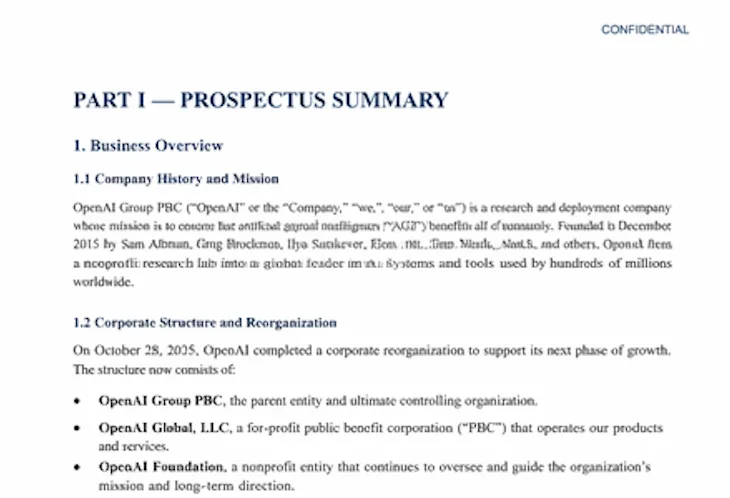
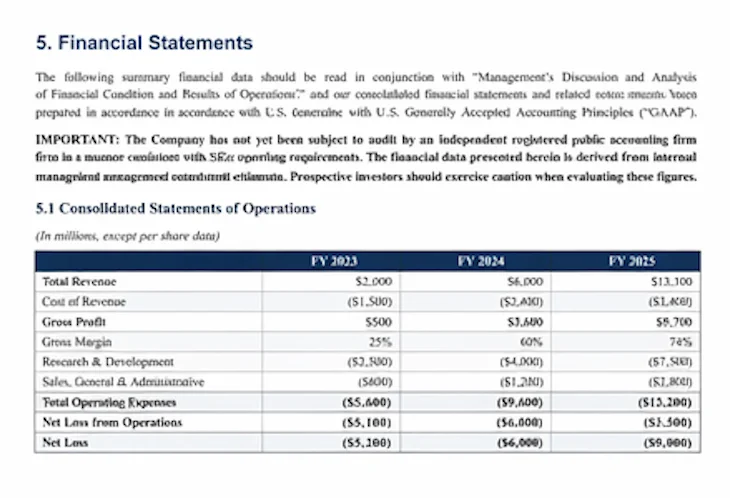
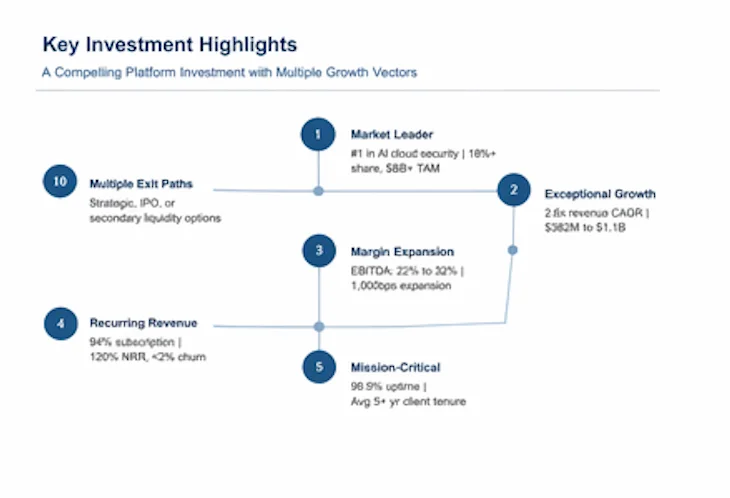
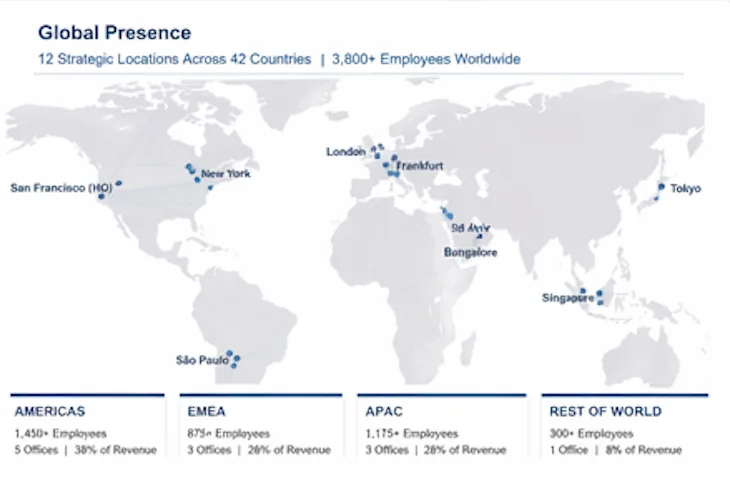
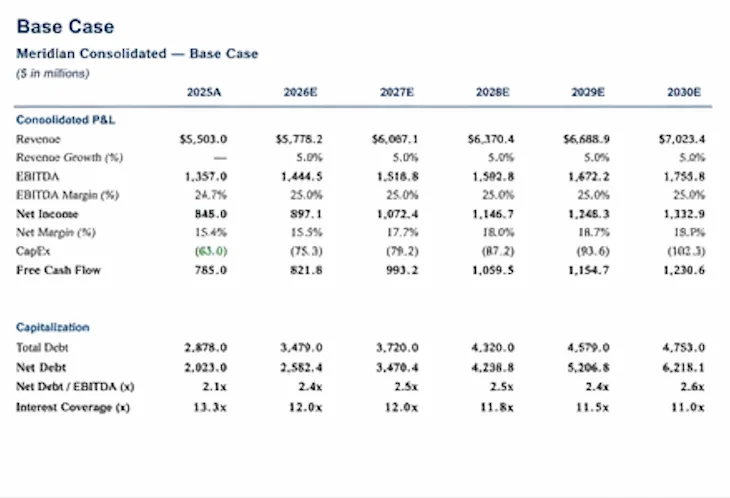
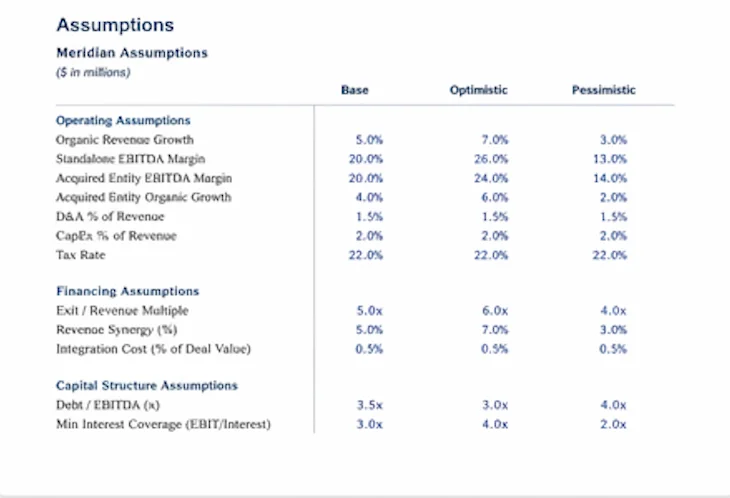
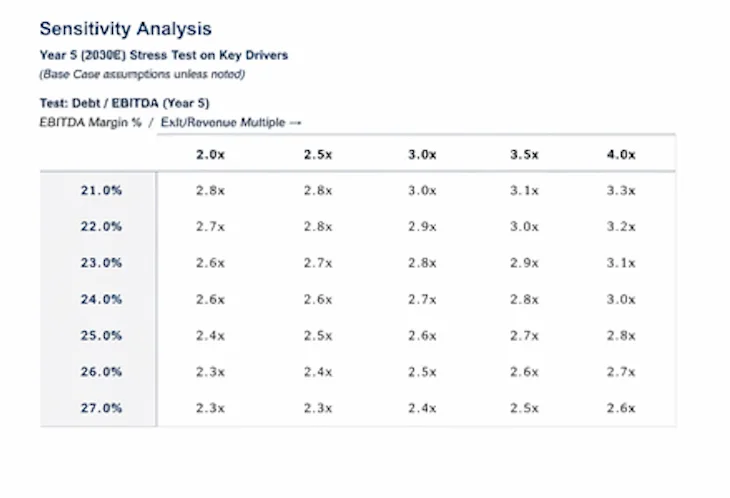
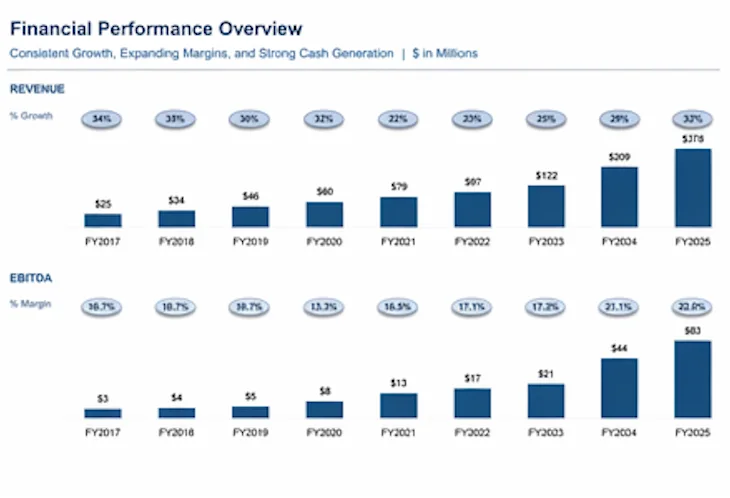
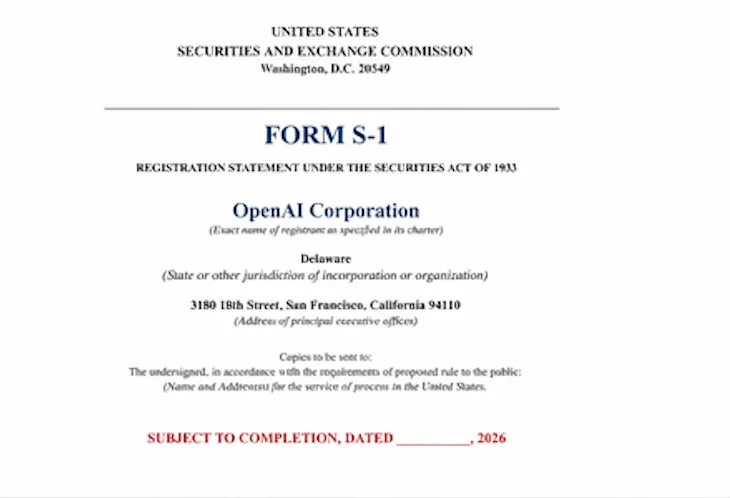
Outputs structured for the formats investment teams already use
Generate polished deliverables in native file formats
Generate polished deliverables in native file formats
Generate polished deliverables in native file formats
Results you can trust.
Trustworthy AI document processing toolkit.
Not HTML pretending to be PowerPoint
Not HTML pretending to be PowerPoint
Not HTML pretending to be PowerPoint
Results you can trust.
Trustworthy AI document processing toolkit.
Seamless editing
+100 data visualisations
Add your brand & CI
Live annotations
From language to slides
Every row is a document
Generate at scale
Generate at scale
XLS
PDF
PPMs
XLS
PDF
PPMs
XLS
PDF
LPAs
XLS
PDF
LPAs
XLS
PDF
Due Diligence Reports
XLS
PDF
Due Diligence Reports
XLS
PDF
Subscription Agreements
XLS
PDF
Subscription Agreements
XLS
PDF
Capital Call Notices
XLS
PDF
Capital Call Notices
XLS
PDF
Quarterly Investor Reports
XLS
PDF
Quarterly Investor Reports
XLS
PDF
Side Letters
XLS
PDF
Side Letters
XLS
PDF
IC Memos
XLS
PDF
IC Memos
XLS
PDF
Term Sheets
XLS
PDF
Term Sheets
XLS
PDF
Financial Models
XLS
PDF
Financial Models
XLS
PDF
Portfolio Monitoring Reports
XLS
PDF
Portfolio Monitoring Reports
Any document type
Any document type
See the difference
From scattered tools to one intelligent hub
Results you can trust.
Trustworthy AI document processing toolkit.
From Data to Document
Generate with a Single Click
Instantly create professional-grade decks, reports, or HTML files from your AI tables. Every row becomes a finished output in seconds.
Drop files
From Data to Document
Generate with a Single Click
Instantly create professional-grade decks, reports, or HTML files from your AI tables. Every row becomes a finished output in seconds.
Drop files
One Engine, Many Stories
Serve Every Use Case
Use the same system for pitch decks, board updates, strategy docs, or internal handbooks. One workflow, infinite formats.
Share documents to be generated as new documents…
Atlas.xlsx
12
Solaris.docx
Acorn.pdf
One Engine, Many Stories
Serve Every Use Case
Use the same system for pitch decks, board updates, strategy docs, or internal handbooks. One workflow, infinite formats.
Share documents to be generated as new documents…
Atlas.xlsx
12
Solaris.docx
Acorn.pdf
One Engine, Many Stories
Serve Every Use Case
Use the same system for pitch decks, board updates, strategy docs, or internal handbooks. One workflow, infinite formats.
Share documents to be generated as new documents…
Atlas.xlsx
12
Solaris.docx
Acorn.pdf
Generate Hundreds at Once
Scale Content Without Effort
Add one column for document generation, and every file or data row produces a complete output. Build hundreds of presentations and reports in parallel.
Download as PDF

Download as PPTX
Save on Drive
Save on SharePoint
Generate Hundreds at Once
Scale Content Without Effort
Add one column for document generation, and every file or data row produces a complete output. Build hundreds of presentations and reports in parallel.
Download as PDF
Download as PPTX
Save on Drive
Save on SharePoint
Generate Hundreds at Once
Scale Content Without Effort
Add one column for document generation, and every file or data row produces a complete output. Build hundreds of presentations and reports in parallel.
Download as PDF
Download as PPTX
Save on Drive
Save on SharePoint
Connected Knowledge
Integrated Workflows
Generate docs directly from AI Tables, connected to Agents, Hubs, and enterprise integrations. Unite your entire stack into one flow with V7 Go.










Connected Knowledge
Integrated Workflows
Generate docs directly from AI Tables, connected to Agents, Hubs, and enterprise integrations. Unite your entire stack into one flow with V7 Go.
Decision-ready outputs from your data room
Turn diligence documents into IC-ready slides.
V7 analyses CIMs, models, contracts, DDQs, and data rooms — then generates source-linked memos, tables, and PPT files your team can edit, trust, and send.
Speak to an expert in your industry in the next 24 hours.
See how V7 turns your firm’s documents into investor-ready outputs — with every number traced back to source.
Decision-ready outputs from your data room
Turn diligence documents into IC-ready slides.
V7 analyses CIMs, models, contracts, DDQs, and data rooms — then generates source-linked memos, tables, and PPT files your team can edit, trust, and send.
Speak to an expert in your industry in the next 24 hours.
See how V7 turns your firm’s documents into investor-ready outputs — with every number traced back to source.
Decision-ready outputs from your data room
Turn diligence documents into IC-ready slides.
V7 analyses CIMs, models, contracts, DDQs, and data rooms — then generates source-linked memos, tables, and PPT files your team can edit, trust, and send.
Speak to an expert in your industry in the next 24 hours.
See how V7 turns your firm’s documents into investor-ready outputs — with every number traced back to source.
Create PowerPoint Slides & PDFs with GenAI
Transform unstructured files into actionable insights
Results you can trust.
Trustworthy AI document processing toolkit.
Collaboration
Build once. Scale to everyone.
Create one intelligent agent that learns your workflows. Empower your entire team to generate, review, and deliver decks and PDFs with V7 Go Slides.

Collaboration
Build once. Scale to everyone.
Create one intelligent agent that learns your workflows. Empower your entire team to generate, review, and deliver decks and PDFs with V7 Go Slides.
Export
Push it where you work
Send results to Drive, SharePoint, Slack, or export polished PowerPoints and PDFs directly.
Download as PDF
Download as PPTX
Save on Drive
Save on SharePoint
Export
Push it where you work
Send results to Drive, SharePoint, Slack, or export polished PowerPoints and PDFs directly.
Download as PDF
Download as PPTX
Save on Drive
Save on SharePoint
Export
Push it where you work
Send results to Drive, SharePoint, Slack, or export polished PowerPoints and PDFs directly.
Download as PDF
Download as PPTX
Save on Drive
Save on SharePoint
Configuration
Complete freedom to shape the outputs
Intelligent templates know exactly what to build: from slide count to content flow. The AI Concierge selects structure, tone, and visuals that fit your goal, no manual setup required.
Document Generation
Set a prompt (Press @ to mention an input)
Tool
Doc Gen
Template
Select
Document type
Slides
Charts
HTML
Configuration
Complete freedom to shape the outputs
Intelligent templates know exactly what to build: from slide count to content flow. The AI Concierge selects structure, tone, and visuals that fit your goal, no manual setup required.
Document Generation
Set a prompt (Press @ to mention an input)
Tool
Doc Gen
Template
Select
Document type
Slides
Charts
HTML
Design Quality
On-brand by design
Every slide follows your design system: colors, typography, and layout logic included. Outputs always look like they came from your design team, not from AI.
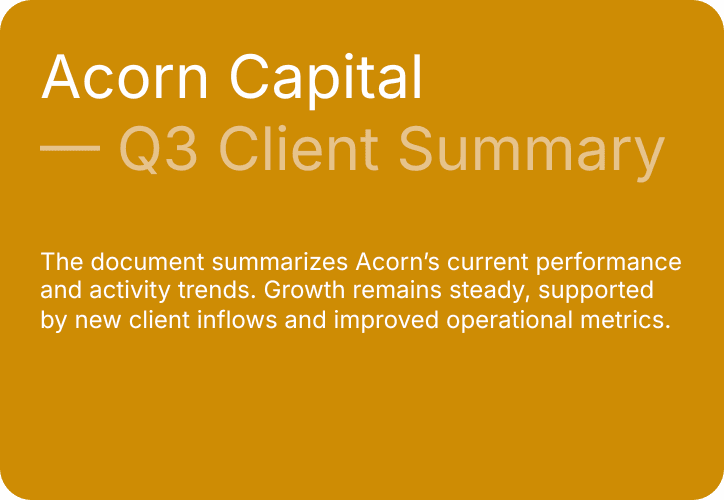
Diverse layouts
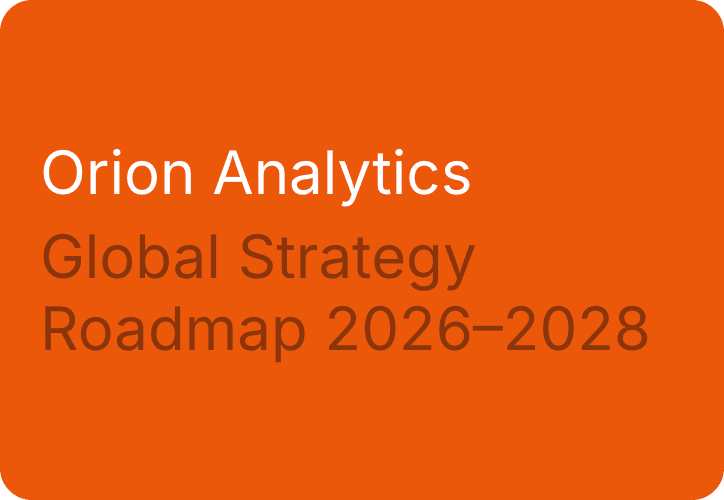
Clear messaging
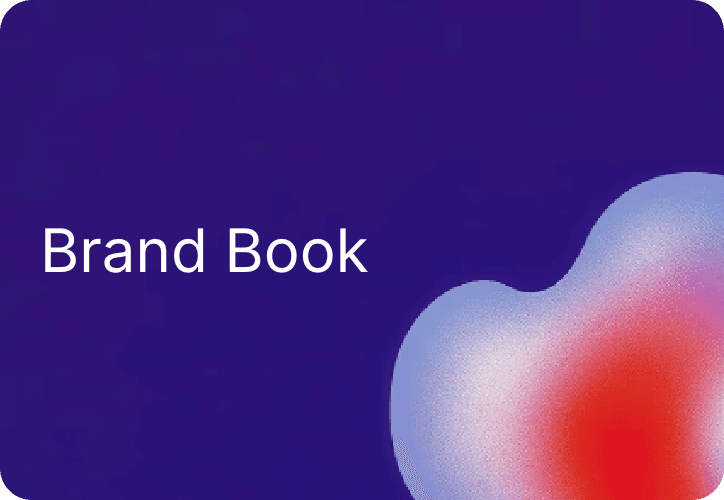
Design quality
Design Quality
On-brand by design
Every slide follows your design system: colors, typography, and layout logic included. Outputs always look like they came from your design team, not from AI.
Diverse layouts
Clear messaging
Design quality
Editing & Review
Review, refine, and regenerate with ease
Edit slides, adjust visuals, or regenerate sections instantly — all within the workspace. Every change stays contextual, trackable, and reversible.
File name
Send this to
Editing & Review
Review, refine, and regenerate with ease
Edit slides, adjust visuals, or regenerate sections instantly — all within the workspace. Every change stays contextual, trackable, and reversible.
File name
Send this to
Templates
Build once, reuse forever
Create custom templates for teams or projects to standardize layouts, automate structure, and accelerate delivery.
Search
Templates
QBR Deck
Culture Deck
Pitch Deck
Board Presentation
Earnings Deck
Board Presentation
Templates
Build once, reuse forever
Create custom templates for teams or projects to standardize layouts, automate structure, and accelerate delivery.
Search
Templates
QBR Deck
Culture Deck
Pitch Deck
Board Presentation
Earnings Deck
Board Presentation
Suggestions
Workspace recipes
Reuses proven steps from your org (e.g., Extract text, List items, Generate JSON) so you’re never starting from scratch.
Suggestions
See more
Send Message in channel
Get issues
Create account
Update status
Get projects
From V7
See more
Extract text
Extract a list of items
Generate JSON
Calculate number
Classify
Tag & Categorize
Generate slides
Transcribe audio
Search the web
All Integrations
Suggestions
Workspace recipes
Reuses proven steps from your org (e.g., Extract text, List items, Generate JSON) so you’re never starting from scratch.
Suggestions
See more
Send Message in channel
Get issues
Create account
Update status
Get projects
From V7
See more
Extract text
Extract a list of items
Generate JSON
Calculate number
Classify
Tag & Categorize
Generate slides
Transcribe audio
Search the web
All Integrations
Workflow
Track Progress at a Glance
Filter analysis steps and decks by status (pending, approved, rejected) or review them (complete, has errors, idle) to manage collaborative workflows and presentations.
Pending
Approved
Rejected
Workflow
Track Progress at a Glance
Filter analysis steps and decks by status (pending, approved, rejected) or review them (complete, has errors, idle) to manage collaborative workflows and presentations.
Pending
Approved
Rejected
Ingestion
Bring content from anywhere
Upload files or folders, pick from your library or agents, or import directly from integrations. Sync your slides, dashboards, and documents with up-to-date sources.
Upload files
Upload folder
Import from computer
Pick from Library
Google Drive
Sharepoint
Ingestion
Bring content from anywhere
Upload files or folders, pick from your library or agents, or import directly from integrations. Sync your slides, dashboards, and documents with up-to-date sources.
Upload files
Upload folder
Import from computer
Pick from Library
Google Drive
Sharepoint
Collaboration
Invite & control access
Share tables with teammates or partners using granular roles — viewer, editor, reviewer, or contributor — with instant invite links.
Add people, emails…
Editor
Invite
Collaboration
Invite & control access
Share tables with teammates or partners using granular roles — viewer, editor, reviewer, or contributor — with instant invite links.
Add people, emails…
Editor
Invite
Time saving for invoice processing
95%
"We are looking for V7 Go and AI in general to be the beating heart of our company and our growth. It will make us more productive as a company, liaising with customers, automating tasks, even finding new work."

James Tomlinson
Managing Director
Productivity increase
35%
"We used V7 Go to automate our diligence process with data extraction and automated analysis. This led to a 35% productivity increase in just the first month of use."

Trey Heath
CEO of Centerline
Custom solution delivery
In hours, not weeks
"Partnering with V7 means bringing our toughest data challenges to a team that turns them into solutions in hours. Their Solutions Engineers have redefined what’s possible for our business."

Allen Darby
CEO of Alaris Acquisitions
Time saving for invoice processing
95%
"We are looking for V7 Go and AI in general to be the beating heart of our company and our growth. It will make us more productive as a company, liaising with customers, automating tasks, even finding new work."
James Tomlinson
Managing Director
Productivity increase
35%
"We used V7 Go to automate our diligence process with data extraction and automated analysis. This led to a 35% productivity increase in just the first month of use."
Trey Heath
CEO of Centerline
Custom solution delivery
In hours, not weeks
"Partnering with V7 means bringing our toughest data challenges to a team that turns them into solutions in hours. Their Solutions Engineers have redefined what’s possible for our business."
Allen Darby
CEO of Alaris Acquisitions
Time saving for invoice processing
95%
"We are looking for V7 Go and AI in general to be the beating heart of our company and our growth. It will make us more productive as a company, liaising with customers, automating tasks, even finding new work."
James Tomlinson
Managing Director
Productivity increase
35%
"We used V7 Go to automate our diligence process with data extraction and automated analysis. This led to a 35% productivity increase in just the first month of use."
Trey Heath
CEO of Centerline
Custom solution delivery
In hours, not weeks
"Partnering with V7 means bringing our toughest data challenges to a team that turns them into solutions in hours. Their Solutions Engineers have redefined what’s possible for our business."
Allen Darby
CEO of Alaris Acquisitions
Time saving for invoice processing
95%
"We are looking for V7 Go and AI in general to be the beating heart of our company and our growth. It will make us more productive as a company, liaising with customers, automating tasks, even finding new work."
James Tomlinson
Managing Director
Productivity increase
35%
"We used V7 Go to automate our diligence process with data extraction and automated analysis. This led to a 35% productivity increase in just the first month of use."
Trey Heath
CEO of Centerline
Custom solution delivery
In hours, not weeks
"Partnering with V7 means bringing our toughest data challenges to a team that turns them into solutions in hours. Their Solutions Engineers have redefined what’s possible for our business."
Allen Darby
CEO of Alaris Acquisitions
Enterprise-grade security
Your data stays yours—always. Work with one of the few AI companies that never trains on your data.
No training on your data
Encrypted end-to-end
Audited and penetration-tested
Fine-grained access controls
Inhouse security team
Audit logs across every workflow
Time saving for invoice processing
95%
"We are looking for V7 Go and AI in general to be the beating heart of our company and our growth. It will make us more productive as a company, liaising with customers, automating tasks, even finding new work."
James Tomlinson
Managing Director
Productivity increase
35%
"We used V7 Go to automate our diligence process with data extraction and automated analysis. This led to a 35% productivity increase in just the first month of use."
Trey Heath
CEO of Centerline
Custom solution delivery
In hours, not weeks
"Partnering with V7 means bringing our toughest data challenges to a team that turns them into solutions in hours. Their Solutions Engineers have redefined what’s possible for our business."
Allen Darby
CEO of Alaris Acquisitions
Time saving for invoice processing
95%
"We are looking for V7 Go and AI in general to be the beating heart of our company and our growth. It will make us more productive as a company, liaising with customers, automating tasks, even finding new work."
James Tomlinson
Managing Director
Productivity increase
35%
"We used V7 Go to automate our diligence process with data extraction and automated analysis. This led to a 35% productivity increase in just the first month of use."
Trey Heath
CEO of Centerline
Custom solution delivery
In hours, not weeks
"Partnering with V7 means bringing our toughest data challenges to a team that turns them into solutions in hours. Their Solutions Engineers have redefined what’s possible for our business."
Allen Darby
CEO of Alaris Acquisitions
Time saving for invoice processing
95%
"We are looking for V7 Go and AI in general to be the beating heart of our company and our growth. It will make us more productive as a company, liaising with customers, automating tasks, even finding new work."
James Tomlinson
Managing Director
Productivity increase
35%
"We used V7 Go to automate our diligence process with data extraction and automated analysis. This led to a 35% productivity increase in just the first month of use."
Trey Heath
CEO of Centerline
Custom solution delivery
In hours, not weeks
"Partnering with V7 means bringing our toughest data challenges to a team that turns them into solutions in hours. Their Solutions Engineers have redefined what’s possible for our business."
Allen Darby
CEO of Alaris Acquisitions
Time saving for invoice processing
95%
"We are looking for V7 Go and AI in general to be the beating heart of our company and our growth. It will make us more productive as a company, liaising with customers, automating tasks, even finding new work."
James Tomlinson
Managing Director
Productivity increase
35%
"We used V7 Go to automate our diligence process with data extraction and automated analysis. This led to a 35% productivity increase in just the first month of use."
Trey Heath
CEO of Centerline
Custom solution delivery
In hours, not weeks
"Partnering with V7 means bringing our toughest data challenges to a team that turns them into solutions in hours. Their Solutions Engineers have redefined what’s possible for our business."
Allen Darby
CEO of Alaris Acquisitions
Enterprise-grade security
Your data stays yours—always. Work with one of the few AI companies that never trains on your data.
No training on your data
Encrypted end-to-end
Audited and penetration-tested
Fine-grained access controls
Inhouse security team
Audit logs across every workflow
Time saving for invoice processing
95%
"We are looking for V7 Go and AI in general to be the beating heart of our company and our growth. It will make us more productive as a company, liaising with customers, automating tasks, even finding new work."
James Tomlinson
Managing Director
Productivity increase
35%
"We used V7 Go to automate our diligence process with data extraction and automated analysis. This led to a 35% productivity increase in just the first month of use."
Trey Heath
CEO of Centerline
Custom solution delivery
In hours, not weeks
"Partnering with V7 means bringing our toughest data challenges to a team that turns them into solutions in hours. Their Solutions Engineers have redefined what’s possible for our business."
Allen Darby
CEO of Alaris Acquisitions
Time saving for invoice processing
95%
"We are looking for V7 Go and AI in general to be the beating heart of our company and our growth. It will make us more productive as a company, liaising with customers, automating tasks, even finding new work."
James Tomlinson
Managing Director
Productivity increase
35%
"We used V7 Go to automate our diligence process with data extraction and automated analysis. This led to a 35% productivity increase in just the first month of use."
Trey Heath
CEO of Centerline
Custom solution delivery
In hours, not weeks
"Partnering with V7 means bringing our toughest data challenges to a team that turns them into solutions in hours. Their Solutions Engineers have redefined what’s possible for our business."
Allen Darby
CEO of Alaris Acquisitions
Time saving for invoice processing
95%
"We are looking for V7 Go and AI in general to be the beating heart of our company and our growth. It will make us more productive as a company, liaising with customers, automating tasks, even finding new work."
James Tomlinson
Managing Director
Productivity increase
35%
"We used V7 Go to automate our diligence process with data extraction and automated analysis. This led to a 35% productivity increase in just the first month of use."
Trey Heath
CEO of Centerline
Custom solution delivery
In hours, not weeks
"Partnering with V7 means bringing our toughest data challenges to a team that turns them into solutions in hours. Their Solutions Engineers have redefined what’s possible for our business."
Allen Darby
CEO of Alaris Acquisitions
Time saving for invoice processing
95%
"We are looking for V7 Go and AI in general to be the beating heart of our company and our growth. It will make us more productive as a company, liaising with customers, automating tasks, even finding new work."
James Tomlinson
Managing Director
Productivity increase
35%
"We used V7 Go to automate our diligence process with data extraction and automated analysis. This led to a 35% productivity increase in just the first month of use."
Trey Heath
CEO of Centerline
Custom solution delivery
In hours, not weeks
"Partnering with V7 means bringing our toughest data challenges to a team that turns them into solutions in hours. Their Solutions Engineers have redefined what’s possible for our business."
Allen Darby
CEO of Alaris Acquisitions
Enterprise-grade security
Your data stays yours—always. Work with one of the few AI companies that never trains on your data.
No training on your data
Encrypted end-to-end
Audited and penetration-tested
Fine-grained access controls
Inhouse security team
Audit logs across every workflow
Time saving for invoice processing
95%
"We are looking for V7 Go and AI in general to be the beating heart of our company and our growth. It will make us more productive as a company, liaising with customers, automating tasks, even finding new work."
James Tomlinson
Managing Director
Productivity increase
35%
"We used V7 Go to automate our diligence process with data extraction and automated analysis. This led to a 35% productivity increase in just the first month of use."
Trey Heath
CEO of Centerline
Custom solution delivery
In hours, not weeks
"Partnering with V7 means bringing our toughest data challenges to a team that turns them into solutions in hours. Their Solutions Engineers have redefined what’s possible for our business."
Allen Darby
CEO of Alaris Acquisitions
Time saving for invoice processing
95%
"We are looking for V7 Go and AI in general to be the beating heart of our company and our growth. It will make us more productive as a company, liaising with customers, automating tasks, even finding new work."
James Tomlinson
Managing Director
Productivity increase
35%
"We used V7 Go to automate our diligence process with data extraction and automated analysis. This led to a 35% productivity increase in just the first month of use."
Trey Heath
CEO of Centerline
Custom solution delivery
In hours, not weeks
"Partnering with V7 means bringing our toughest data challenges to a team that turns them into solutions in hours. Their Solutions Engineers have redefined what’s possible for our business."
Allen Darby
CEO of Alaris Acquisitions
Time saving for invoice processing
95%
"We are looking for V7 Go and AI in general to be the beating heart of our company and our growth. It will make us more productive as a company, liaising with customers, automating tasks, even finding new work."
James Tomlinson
Managing Director
Productivity increase
35%
"We used V7 Go to automate our diligence process with data extraction and automated analysis. This led to a 35% productivity increase in just the first month of use."
Trey Heath
CEO of Centerline
Custom solution delivery
In hours, not weeks
"Partnering with V7 means bringing our toughest data challenges to a team that turns them into solutions in hours. Their Solutions Engineers have redefined what’s possible for our business."
Allen Darby
CEO of Alaris Acquisitions
Time saving for invoice processing
95%
"We are looking for V7 Go and AI in general to be the beating heart of our company and our growth. It will make us more productive as a company, liaising with customers, automating tasks, even finding new work."
James Tomlinson
Managing Director
Productivity increase
35%
"We used V7 Go to automate our diligence process with data extraction and automated analysis. This led to a 35% productivity increase in just the first month of use."
Trey Heath
CEO of Centerline
Custom solution delivery
In hours, not weeks
"Partnering with V7 means bringing our toughest data challenges to a team that turns them into solutions in hours. Their Solutions Engineers have redefined what’s possible for our business."
Allen Darby
CEO of Alaris Acquisitions
Enterprise-grade security
Your data stays yours—always. Work with one of the few AI companies that never trains on your data.
No training on your data
Encrypted end-to-end
Audited and penetration-tested
Fine-grained access controls
Inhouse security team
Audit logs across every workflow
Have questions?
Find answers.
Any more questions?
How does this Slides feature fit into the rest of the V7 Go platform? Is it a standalone tool?
The Slides feature is not a standalone tool; it is the integrated presentation layer that sits at the end of a workflow within the V7 Go platform. The platform's core engine is the AI Agent, which performs the heavy lifting of reading, understanding, and extracting structured insights from your complex source documents. Once the agent has completed its analysis and produced the verified data, the Slides feature takes these outputs and automatically assembles them into a polished presentation or report that adhere to your brand guidelines. Essentially, the agent provides the deep analysis, and the Slides feature builds the final, professional document.
What types of documents can I create besides slide decks?
The platform is designed to generate a wide range of professional outputs beyond slide decks. Users can configure workflows to create detailed PDF reports for audits, produce executive summaries in Microsoft Word, or automatically populate complex Microsoft Excel templates. This capability allows teams to feed structured data directly into downstream financial models or other systems, making document generation a versatile final step for any automated analysis.
Where does the AI get the information to build these documents?
Document generation is fueled by the verified insights that V7 Go AI Agents extract from your source files and Knowledge Hubs. Agents can be configured to process a wide variety of unstructured data, including investment memos in a virtual data room, folders of legal contracts, or real estate appraisals. The system uses the structured information produced during this initial analysis phase as the foundation for automatically building each new document.
How does V7 Go ensure the generated documents match my company's branding?
Brand consistency is maintained through the use of custom templates. Within the platform, teams can create and save templates that specify your organization's required fonts, color palettes, logo placements, and slide layouts. The AI generation engine uses these templates as a strict guide, ensuring that every output—whether a presentation or a report—is fully compliant with your corporate design standards and maintains a professional, on-brand appearance.
Is this just for one-off reports, or can I automate this for recurring tasks?
The document generation feature is designed for both one-off tasks and fully automated, recurring workflows. Users can configure the system to trigger an entire analysis-to-document pipeline automatically. For example, when a new Confidential Information Memorandum (CIM) is uploaded to a designated folder, an AI Agent can be set to process it and generate a standardized summary deck without any manual intervention. This is ideal for scaling recurring processes such as deal screening, compliance audits, or periodic portfolio reporting.
Have questions?
Find answers.
Any more questions?
How does this Slides feature fit into the rest of the V7 Go platform? Is it a standalone tool?
The Slides feature is not a standalone tool; it is the integrated presentation layer that sits at the end of a workflow within the V7 Go platform. The platform's core engine is the AI Agent, which performs the heavy lifting of reading, understanding, and extracting structured insights from your complex source documents. Once the agent has completed its analysis and produced the verified data, the Slides feature takes these outputs and automatically assembles them into a polished presentation or report that adhere to your brand guidelines. Essentially, the agent provides the deep analysis, and the Slides feature builds the final, professional document.
What types of documents can I create besides slide decks?
The platform is designed to generate a wide range of professional outputs beyond slide decks. Users can configure workflows to create detailed PDF reports for audits, produce executive summaries in Microsoft Word, or automatically populate complex Microsoft Excel templates. This capability allows teams to feed structured data directly into downstream financial models or other systems, making document generation a versatile final step for any automated analysis.
Where does the AI get the information to build these documents?
Document generation is fueled by the verified insights that V7 Go AI Agents extract from your source files and Knowledge Hubs. Agents can be configured to process a wide variety of unstructured data, including investment memos in a virtual data room, folders of legal contracts, or real estate appraisals. The system uses the structured information produced during this initial analysis phase as the foundation for automatically building each new document.
How does V7 Go ensure the generated documents match my company's branding?
Brand consistency is maintained through the use of custom templates. Within the platform, teams can create and save templates that specify your organization's required fonts, color palettes, logo placements, and slide layouts. The AI generation engine uses these templates as a strict guide, ensuring that every output—whether a presentation or a report—is fully compliant with your corporate design standards and maintains a professional, on-brand appearance.
Is this just for one-off reports, or can I automate this for recurring tasks?
The document generation feature is designed for both one-off tasks and fully automated, recurring workflows. Users can configure the system to trigger an entire analysis-to-document pipeline automatically. For example, when a new Confidential Information Memorandum (CIM) is uploaded to a designated folder, an AI Agent can be set to process it and generate a standardized summary deck without any manual intervention. This is ideal for scaling recurring processes such as deal screening, compliance audits, or periodic portfolio reporting.
Have questions?
Find answers.
How does this Slides feature fit into the rest of the V7 Go platform? Is it a standalone tool?
The Slides feature is not a standalone tool; it is the integrated presentation layer that sits at the end of a workflow within the V7 Go platform. The platform's core engine is the AI Agent, which performs the heavy lifting of reading, understanding, and extracting structured insights from your complex source documents. Once the agent has completed its analysis and produced the verified data, the Slides feature takes these outputs and automatically assembles them into a polished presentation or report that adhere to your brand guidelines. Essentially, the agent provides the deep analysis, and the Slides feature builds the final, professional document.
What types of documents can I create besides slide decks?
The platform is designed to generate a wide range of professional outputs beyond slide decks. Users can configure workflows to create detailed PDF reports for audits, produce executive summaries in Microsoft Word, or automatically populate complex Microsoft Excel templates. This capability allows teams to feed structured data directly into downstream financial models or other systems, making document generation a versatile final step for any automated analysis.
Where does the AI get the information to build these documents?
Document generation is fueled by the verified insights that V7 Go AI Agents extract from your source files and Knowledge Hubs. Agents can be configured to process a wide variety of unstructured data, including investment memos in a virtual data room, folders of legal contracts, or real estate appraisals. The system uses the structured information produced during this initial analysis phase as the foundation for automatically building each new document.
How does V7 Go ensure the generated documents match my company's branding?
Brand consistency is maintained through the use of custom templates. Within the platform, teams can create and save templates that specify your organization's required fonts, color palettes, logo placements, and slide layouts. The AI generation engine uses these templates as a strict guide, ensuring that every output—whether a presentation or a report—is fully compliant with your corporate design standards and maintains a professional, on-brand appearance.
Is this just for one-off reports, or can I automate this for recurring tasks?
The document generation feature is designed for both one-off tasks and fully automated, recurring workflows. Users can configure the system to trigger an entire analysis-to-document pipeline automatically. For example, when a new Confidential Information Memorandum (CIM) is uploaded to a designated folder, an AI Agent can be set to process it and generate a standardized summary deck without any manual intervention. This is ideal for scaling recurring processes such as deal screening, compliance audits, or periodic portfolio reporting.